The player is frozen or out of date
The web player or the Activity does not update? Wait for the reconnection, press Reload when a new version is available, or restart the Activity.
Updated Oct 30, 2026 · 1 min read
The web player and the Activity keep in sync with Green-bot. When the connection drops, they can look frozen.
"Reconnecting" is shown
If you see that the connection was lost and the player is reconnecting, wait a few seconds. The player reconnects by itself.
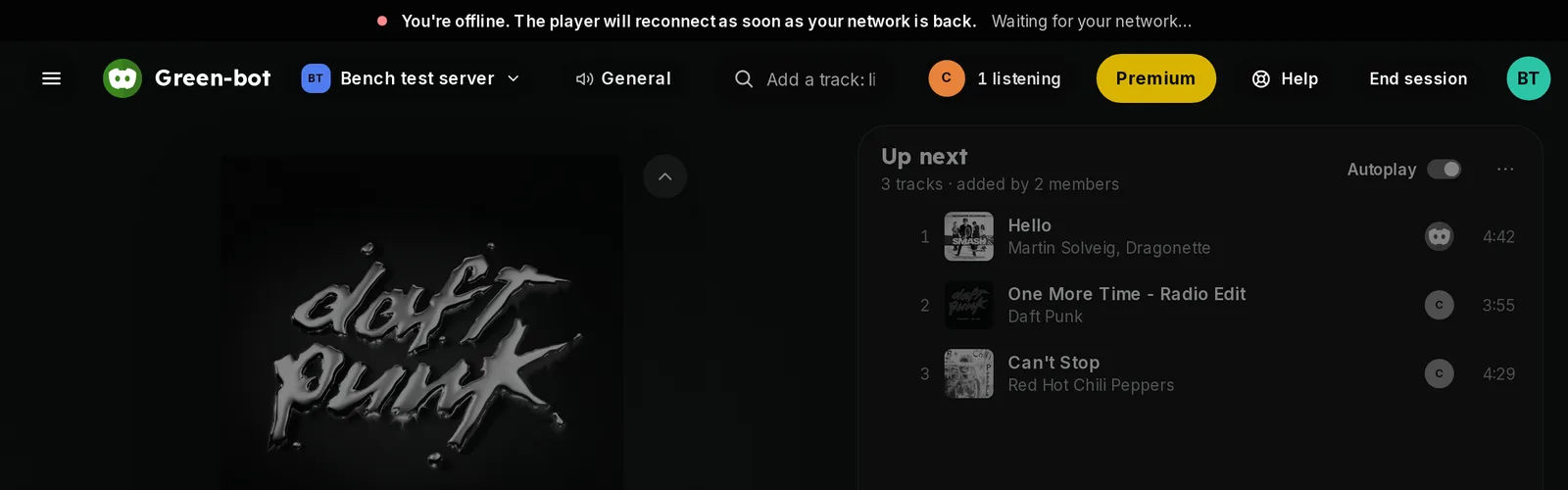 Reconnecting message
A new version is available
- If the player says that a new version is available, press Reload.
- The player restarts with the new version.
Still frozen
- Reload the page.
- In the Activity, close it and start it again from the voice channel. See The Activity won't open.
Green-bot is restarting
If the player shows a full-screen message that the bot is restarting, wait. The music starts again by itself when Green-bot is back. Still stuck? Ask on the support server.
Next steps
Was this helpful?