The bot is server-muted
Nobody hears Green-bot? It may be server-muted in the voice channel. Learn how to check it and how to remove the mute.
Updated Oct 30, 2026 · 1 min read
When Green-bot is server-muted, it plays but nobody hears it. A server admin can remove the mute.
How to check
- Join the voice channel where Green-bot plays.
- Look at Green-bot in the list of people in that channel.
- A crossed-out microphone icon next to its name means that it is muted.
 Muted bot in a voice channel
Remove the mute
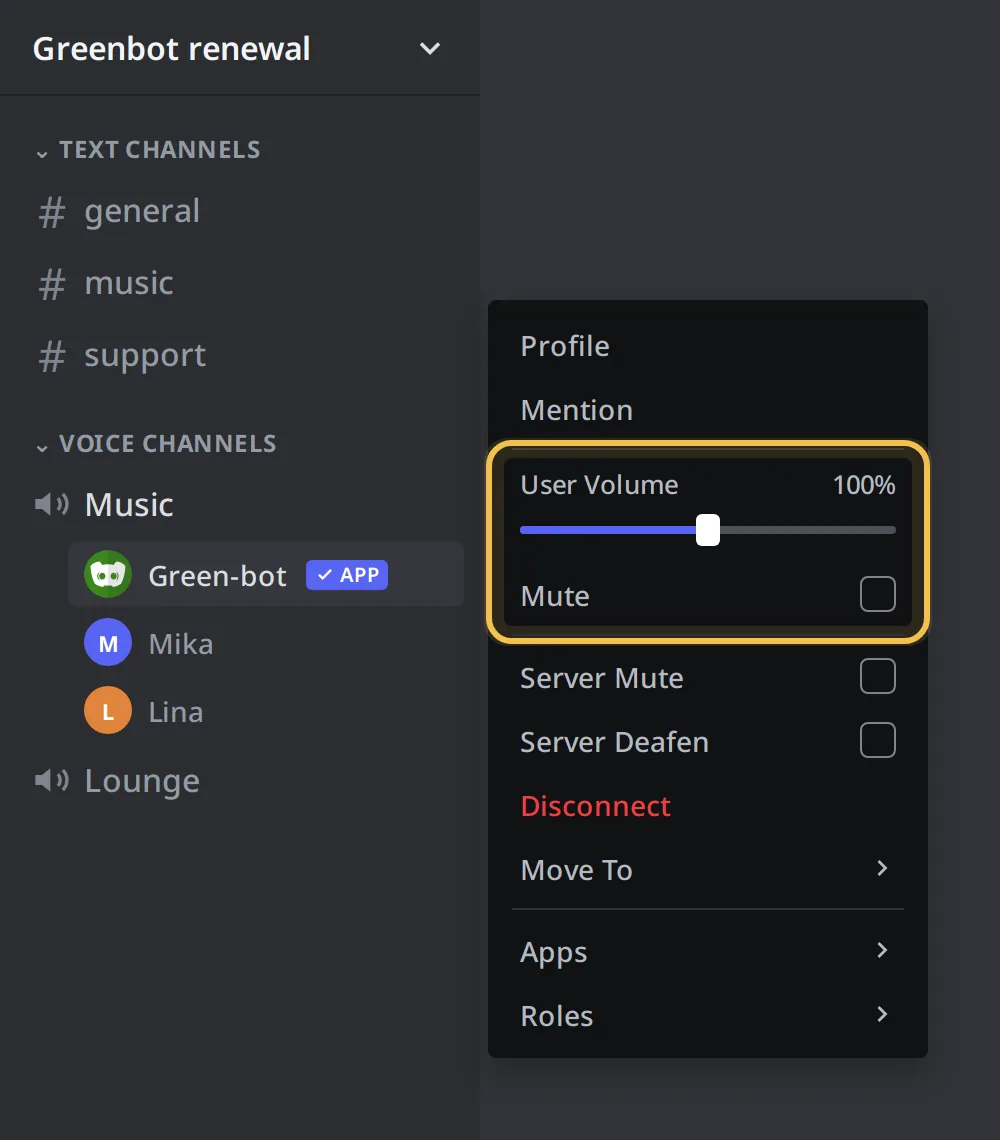
- Right-click Green-bot in the voice channel.
- Untick Server Mute.
- Play a song again to check the sound.
If Server Mute is greyed out or missing, you do not have the Mute Members permission. Ask a server admin to do it.
If the mute comes back
Another bot or a role rule on your server may mute members in voice channels. Ask an admin to check the voice channel permissions for Green-bot.
If nobody hears it and it is not muted, see No sound.
Still stuck? Ask on the support server.
Next steps
Was this helpful?