Tickets or voice rooms don't work
Tickets or temporary voice rooms are not created? Give Green-bot Manage Channels, Move Members, thread permissions and a usable category.
Updated Oct 30, 2026 · 1 min read
Tickets and voice rooms are new channels or threads that Green-bot creates. It needs the right permissions.
Voice rooms are not created
- Open Server Settings, then Roles, and pick the Green-bot role.
- Turn on Manage Channels and Move Members, then save.
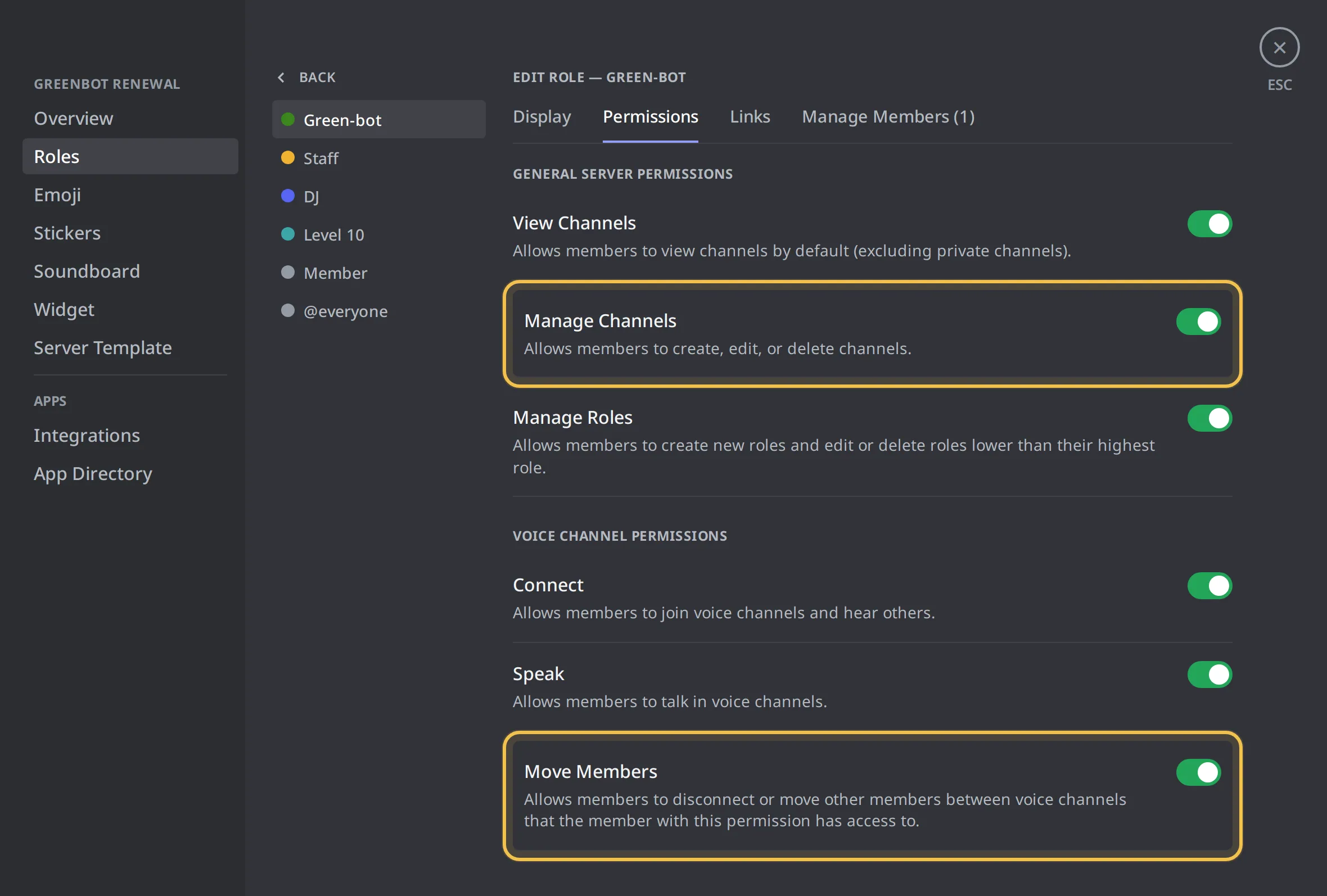 Role permissions
- Check the category where rooms are created: it must not block Green-bot.
See Why can't Green-bot create channels? and Why can't Green-bot move members?.
Tickets do not open as threads
Tickets can open as private threads under the panel.
- Right-click the panel channel, then Edit Channel.
- Open Permissions and add Green-bot.
- Turn on Create Private Threads and Send Messages in Threads, then save.
See Why can't Green-bot open private threads?. You can also switch the ticket setting to Channel.
Tickets do not open as channels
In channel mode, each ticket is a new channel in a category.
- Right-click the category, then Edit Category.
- Open Permissions and add Green-bot.
- Turn on View Channel and Manage Channels, then save.
See Why can't Green-bot create ticket channels?.
The panel is not posted
Check that Green-bot can post in the panel channel. See Green-bot can't post.
Still stuck? Ask on the support server.
Next steps
Was this helpful?