Slash commands don't show up
Green-bot commands missing in Discord? Check the integration permissions, reload Discord, re-invite the bot, or learn about text commands.
Updated Oct 30, 2026 · 1 min read
When you type / in Discord, Green-bot commands should appear in the list. If they do not, check the points below.
Reload Discord
- Press Ctrl+R on your computer (Cmd+R on Mac) to reload Discord.
- Type
/and look for Green-bot in the list on the left.
Check the command permissions
A server admin can hide commands from a role or a channel.
- Open Server Settings, then Integrations.
- Open Green-bot and check the command permissions.
- Make sure your role and the channel are allowed.
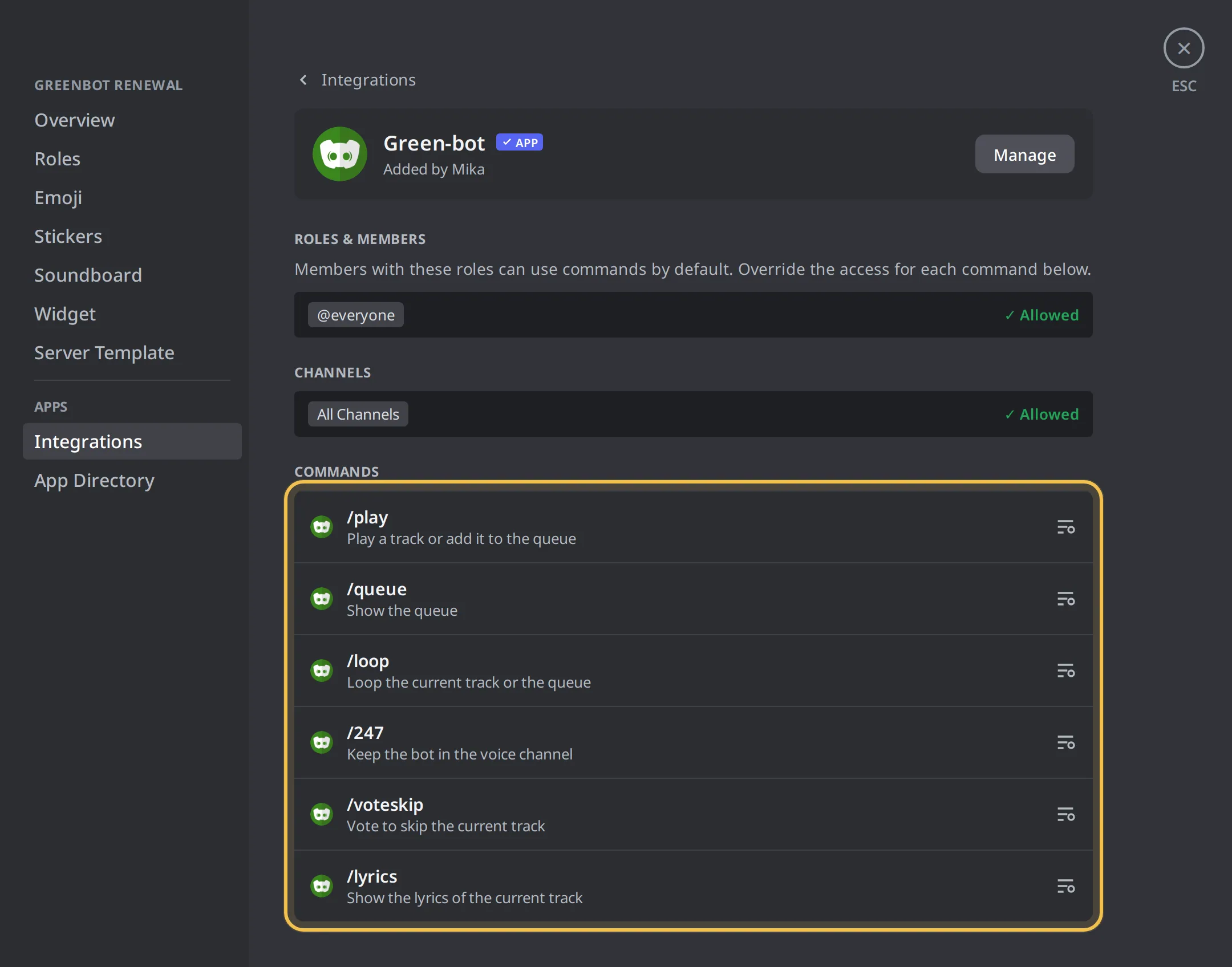 Integrations settings
Add Green-bot again
If the bot was added without the permission to create commands, the commands never appear.
- Add Green-bot again with the link from the website. See Add Green-bot to your server.
- Pick your server and authorize.
- Reload Discord and type
/again.
Text commands with a prefix
Green-bot uses slash commands. Text commands with a prefix work on a Custom Bot only. The Custom Bot owner can see or change its prefix in the dashboard, in the Custom Bot tab, in Prefix. On Green-bot and the other public bots, use the slash commands.
A command is refused
- If it says that only the DJ can use a command, see DJ role and who can control the music.
- If it says that you need the Manage Server permission, ask a server admin.
- If it says Premium, see Why does a command ask for Premium.
Still stuck? Ask on the support server.
Next steps
Was this helpful?