No sound: check your output device
Green-bot plays but you hear nothing? Check Discord's output device, the bot's user volume, server mute and the player volume.
The player says that music is playing, but you hear nothing. Most of the time the cause is a Discord setting on your side. Try these checks in order.
Check your output device
Discord can send sound to a device that is not the one you listen on.
- Open User Settings, then Voice & Video.
- Open the Output Device menu and pick your headphones or speakers.
- Play a test sound in Discord to check that you hear it.
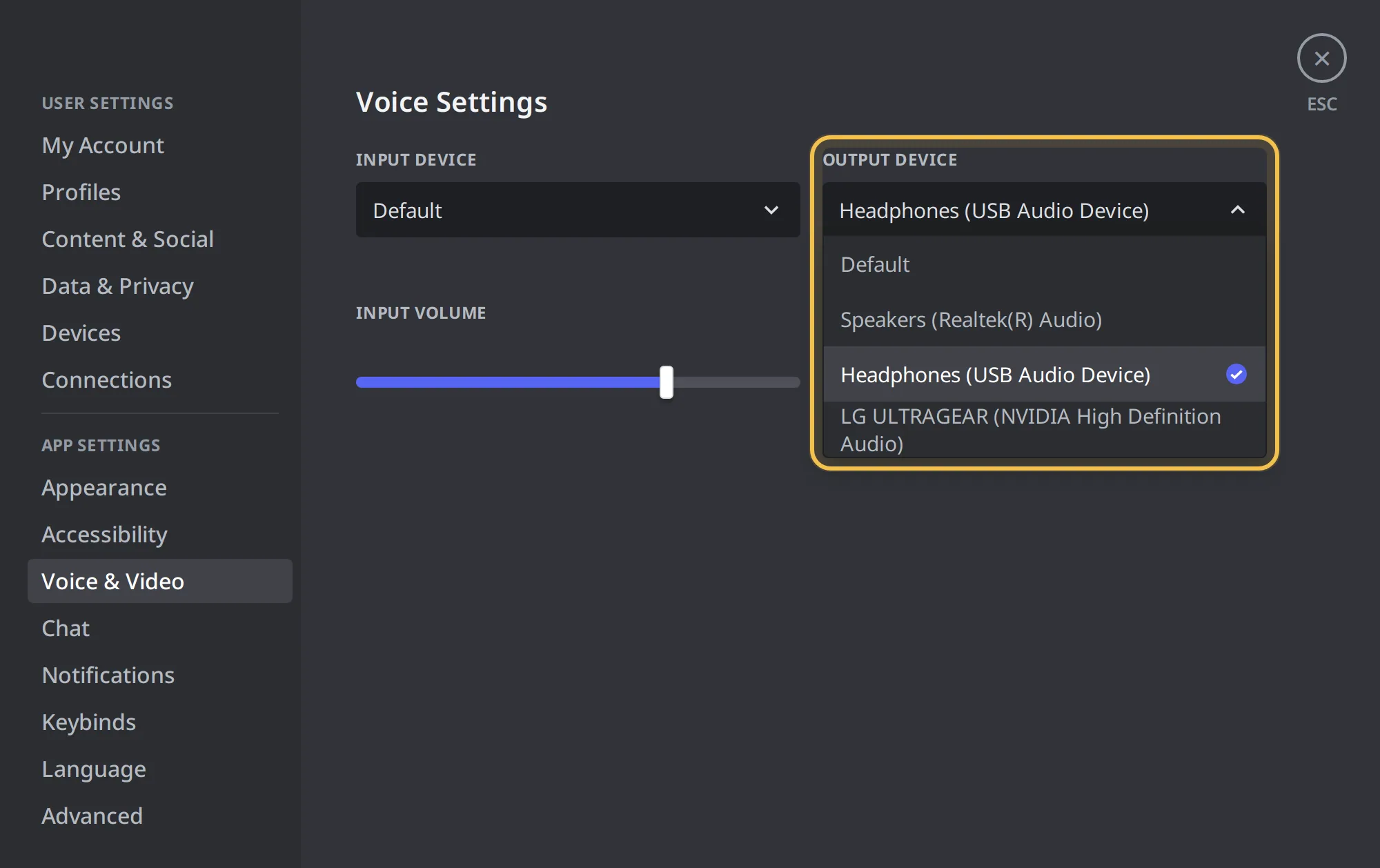 Output Device menu in Discord
Raise the bot's user volume
Discord keeps a volume for each person in the voice channel. It changes only what you hear.
- Join the voice channel where Green-bot plays.
- Right-click Green-bot in the voice channel.
- Drag User Volume up.
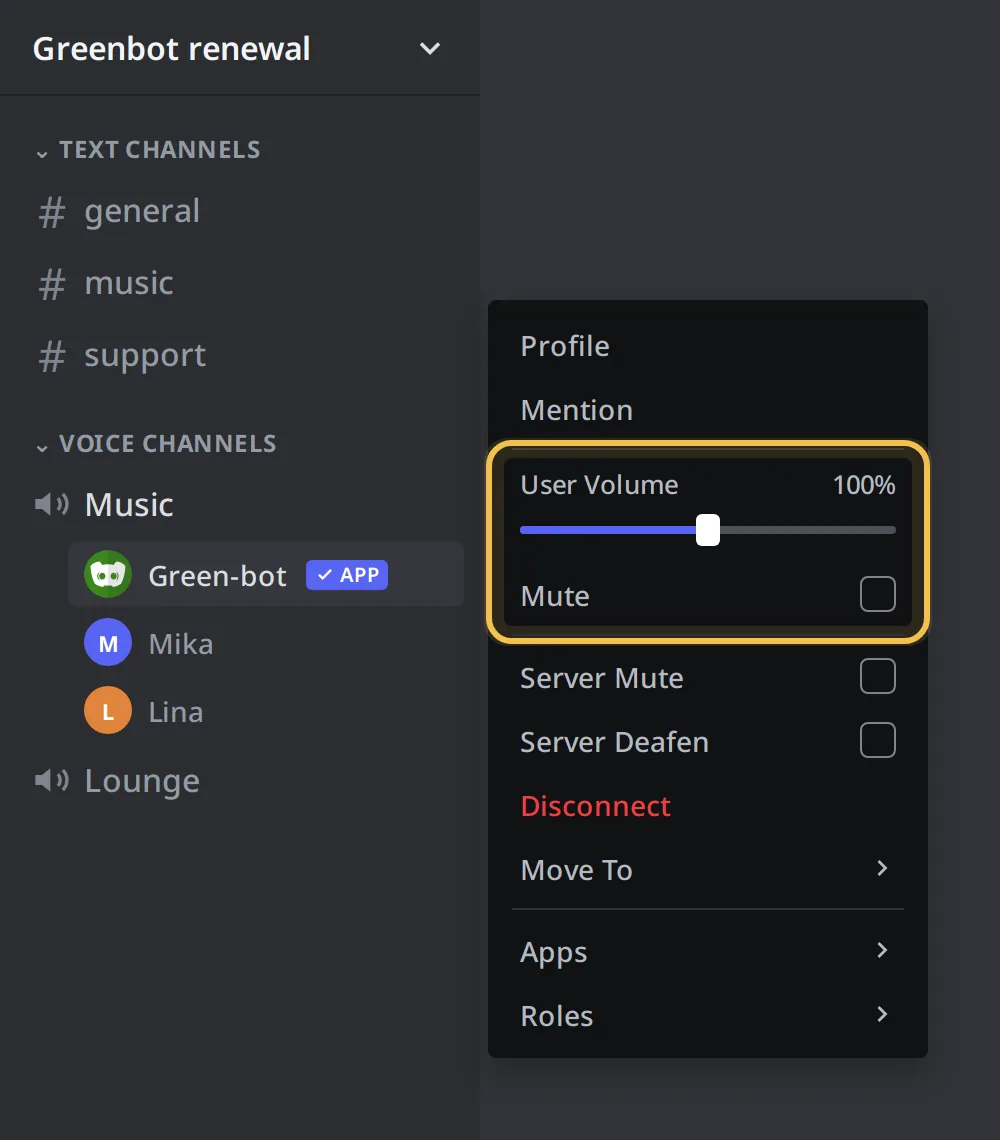 User Volume slider
Check the server mute
- Right-click Green-bot in the voice channel.
- If Server Mute is ticked, untick it. If you cannot, ask a server admin.
More details are in The bot is server-muted.
Raise the player volume
The player volume changes the sound for everyone.
- Open the web player or the Now playing card.
- Hover the speaker icon under the play buttons.
- Drag the volume up.
 Player volume
You can also use /volume in Discord.
Check the audio filter
An audio filter can change how a song sounds. Use /filter to turn the active filter off and listen again.
Check that your headset is not deafened
If your headset is deafened in Discord, you hear no one. Click the headset icon in the voice bar to turn sound back on.
Sound works in Discord but not in the browser
The web player is a remote control. The sound always comes from Green-bot in the voice channel, through Discord, not from the browser tab. Make sure you are in the voice channel and that Discord is not muted.
Still stuck? Ask on the support server.