Green-bot can't post or give roles
Green-bot does not post a message, a card or a file, or does not give a role? Fix the channel and role permissions with short steps.
Green-bot posts messages and gives roles only when Discord allows it. Fix the permission that is missing.
Green-bot does not post
- Right-click the channel, then Edit Channel.
- Open Permissions and add Green-bot or its role.
- Turn on View Channel, Send Messages and Embed Links, then save.
 Channel permissions
See Why can't Green-bot post?. If the channel is not in the dashboard list, see Why isn't my channel in the list?.
Cards and files are missing
Welcome cards, images and transcripts are files. Turn on Attach Files for Green-bot in that channel. See Why can't Green-bot post the card?.
Mentions do not ping
Pinging everyone, here, or a role that is not mentionable needs the Mention Everyone, Here, and All Roles permission in that channel. See Why can't Green-bot mention everyone?.
Green-bot does not give a role
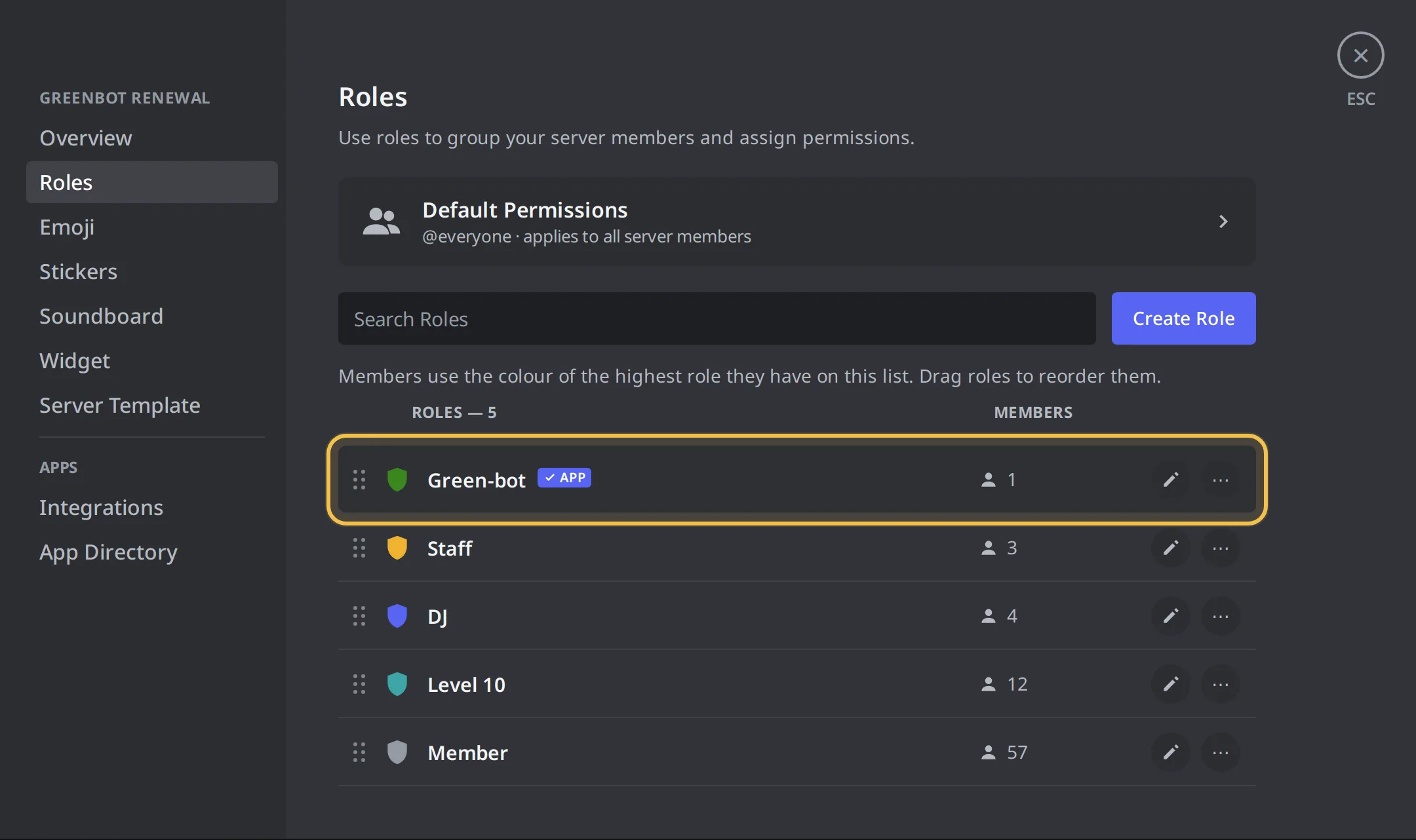
- Open Server Settings, then Roles.
- Open the Green-bot role and turn on Manage Roles. See Why can't Green-bot give roles at all?.
- Drag the Green-bot role above the roles it must give. See Why can't Green-bot give these roles?.
Role order
Some roles can never be given
Green-bot never gives a role with a moderation or admin permission. It cannot give a role that belongs to an integration either. See roles that are blocked, a role with a moderation permission and a managed role.
Send a test
After the fix, use Send a test in the top bar of the message editor in the dashboard to make Green-bot post the real message.
Still stuck? Ask on the support server.