The music cuts or stutters
Music that stops, stutters or says no audio server is available? Check your connection, the voice region and the status page.
Updated Oct 30, 2026 · 1 min readCommands/play
Music can cut out because of your connection, the voice region of the channel, or a temporary problem on our side. Check in this order.
Check your own connection
- Check whether other voice calls or videos also lag for you.
- Restart your network device or switch networks.
- Leave and join the voice channel again.
Change the voice region
A voice region far from most listeners can cause lag.
- Right-click the voice channel, then Edit Channel.
- Open Overview and find Region Override.
- Pick a region close to most listeners, then save.
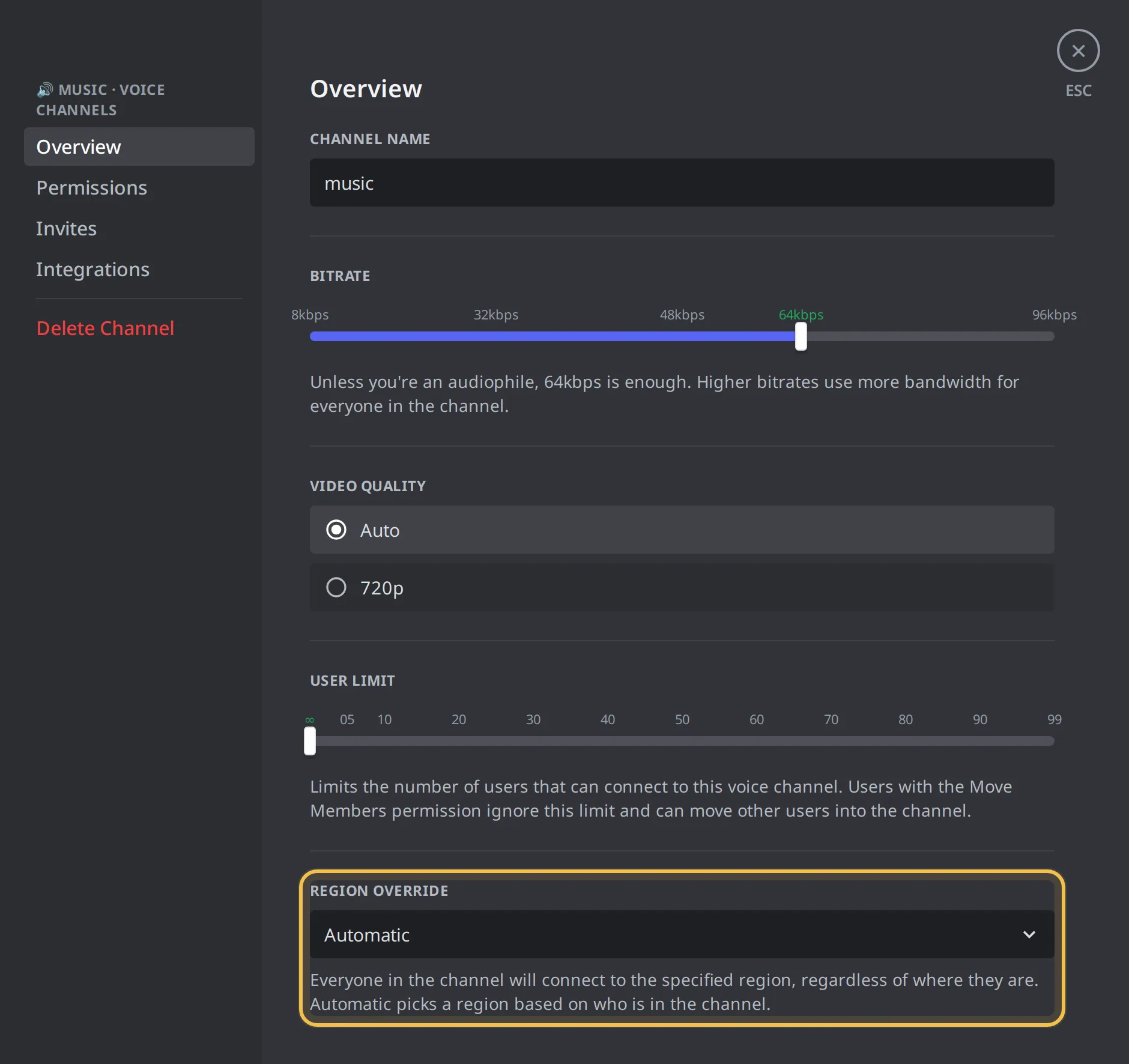 Region Override
Test another voice channel
- Join a different voice channel.
- Play a song there.
- If the problem is gone, the first channel has a setting or a region problem.
No audio server is available
If Green-bot says that no audio server is available, music cannot start right now. There is nothing to change on your side.
- Wait a moment and try again.
- Check the status page to see whether we already know about it.
- If it lasts, ask on the support server and tell us which Green-bot you use.
Playback stopped after repeated errors
If several songs in a row cannot be played, Green-bot stops the playback.
- Use
/playto start again. - Try a search by song title and artist, or another playlist.
- See A track can't be found or played.
Still stuck? Ask on the support server.
Next steps
Was this helpful?