Green-bot won't join my voice channel
Green-bot does not join or cannot speak? Check that you are in voice, the channel permissions, a full channel, a Stage channel or another channel.
Green-bot plays music in the voice channel you are in. When it does not join, the cause is usually one of the points below.
Join a voice channel first
If Green-bot says to join a voice channel first, you are not in one. The player shows Not in voice.
- Find a voice channel with a speaker icon in the channel list.
- Click it to join. You appear under the channel name.
- Use
/playagain. Green-bot joins your channel.
The animated steps are in How to join a voice channel and on the Discord mobile app.
Check the channel permissions
Green-bot needs three permissions in your voice channel: View Channel, Connect and Speak.
- Right-click the voice channel, then Edit Channel.
- Open Permissions and add Green-bot or its role.
- Turn on View Channel, Connect and Speak, then save.
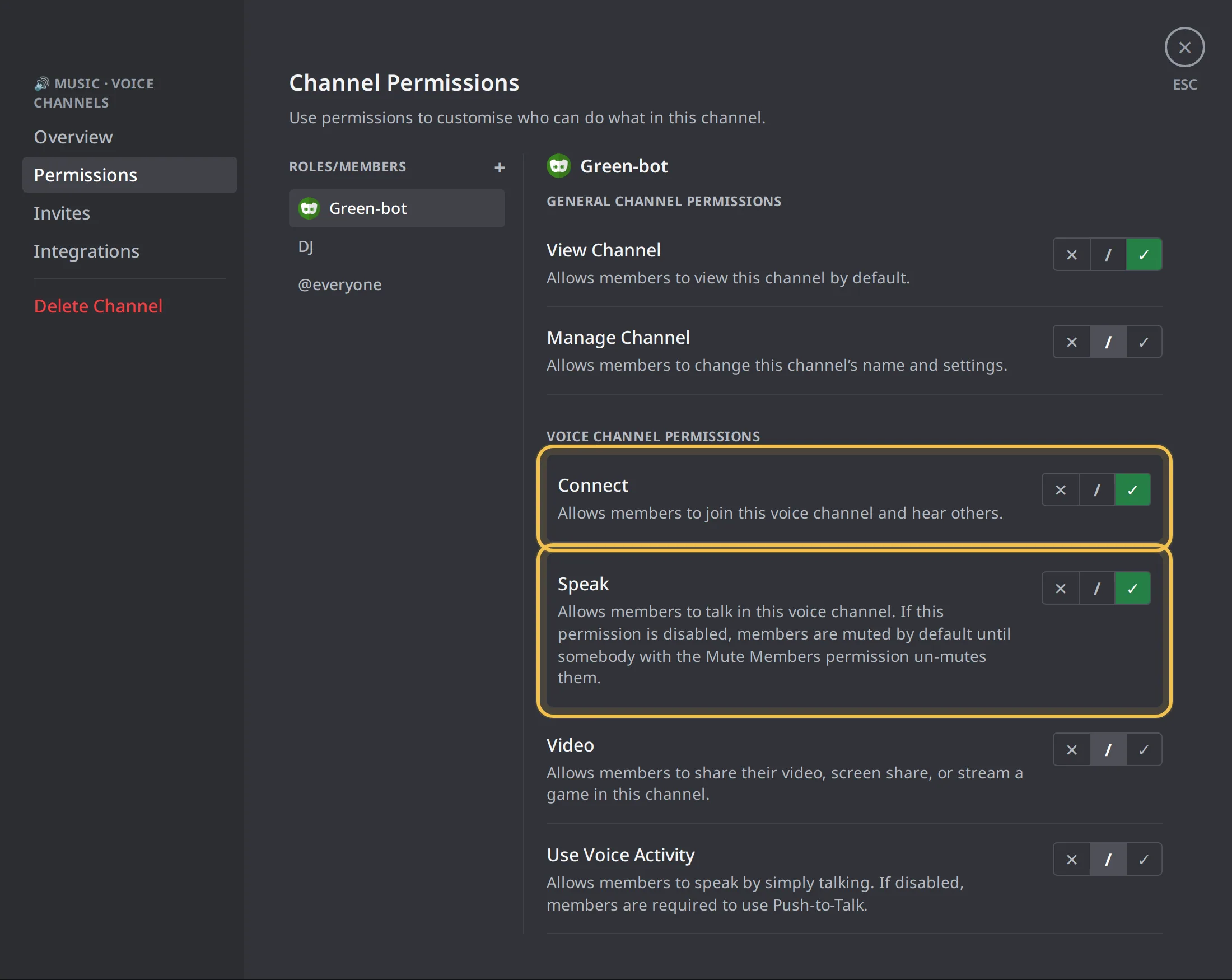 Voice channel permissions
The animated steps are in Why can't Green-bot join?.
The voice channel is full
A channel with a user limit can be full. Green-bot can join a full channel only with the Move Members permission.
- Raise the User Limit in the channel settings, or wait for someone to leave.
- Or give Green-bot Move Members in that channel.
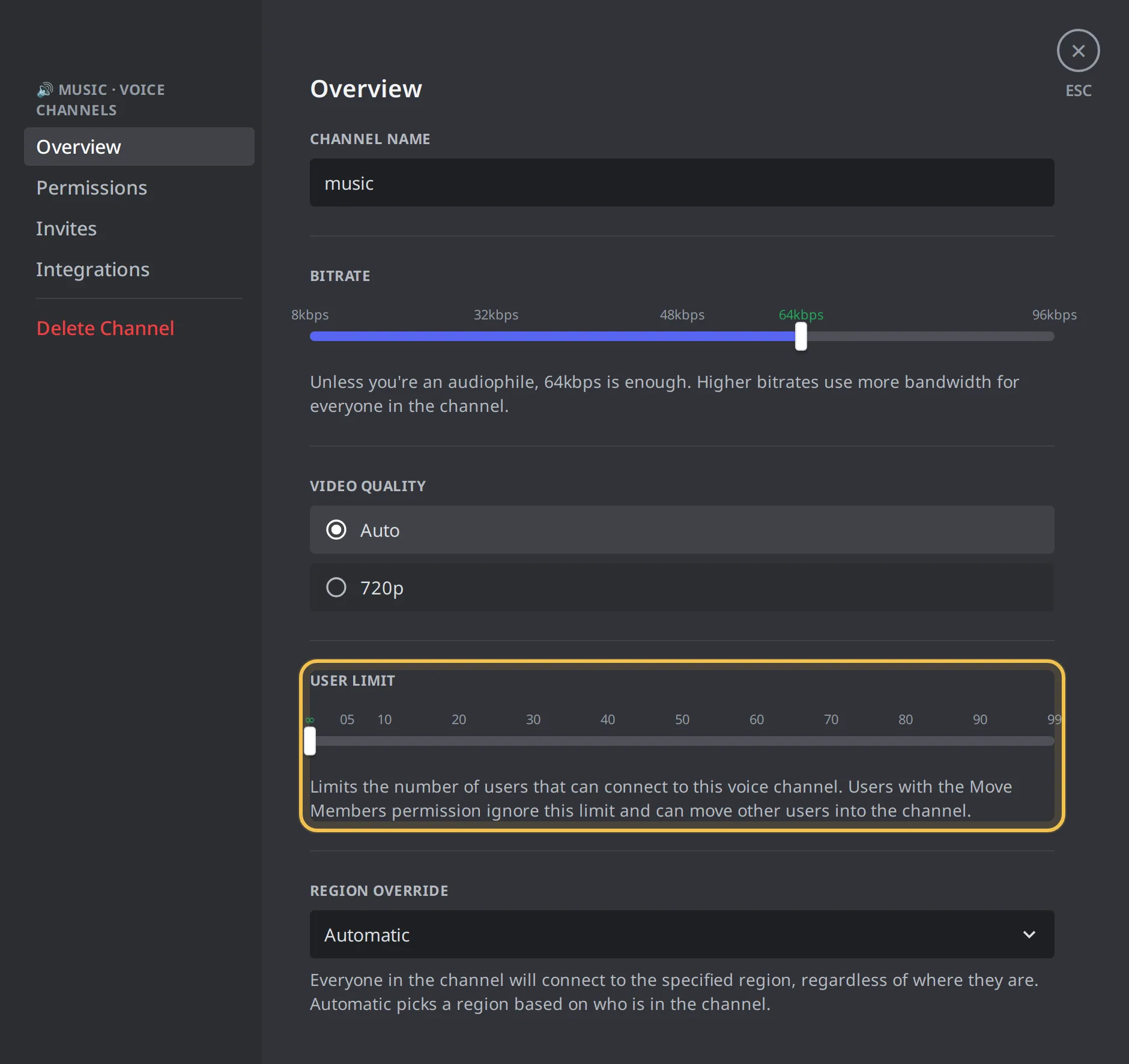 User limit of a voice channel
See Why can't Green-bot join a full channel?.
Green-bot plays in another channel
One Green-bot plays in one voice channel at a time on a server.
- Join the channel where Green-bot already plays.
- To play in two channels at the same time, add another Green-bot to the server. See Add Green-bot to your server.
Stage channels
In a Stage channel, a moderator may need to invite Green-bot to speak.
- Ask a Stage moderator to invite Green-bot to speak.
- If it still cannot speak, ask an admin to check its permissions in the Stage channel.
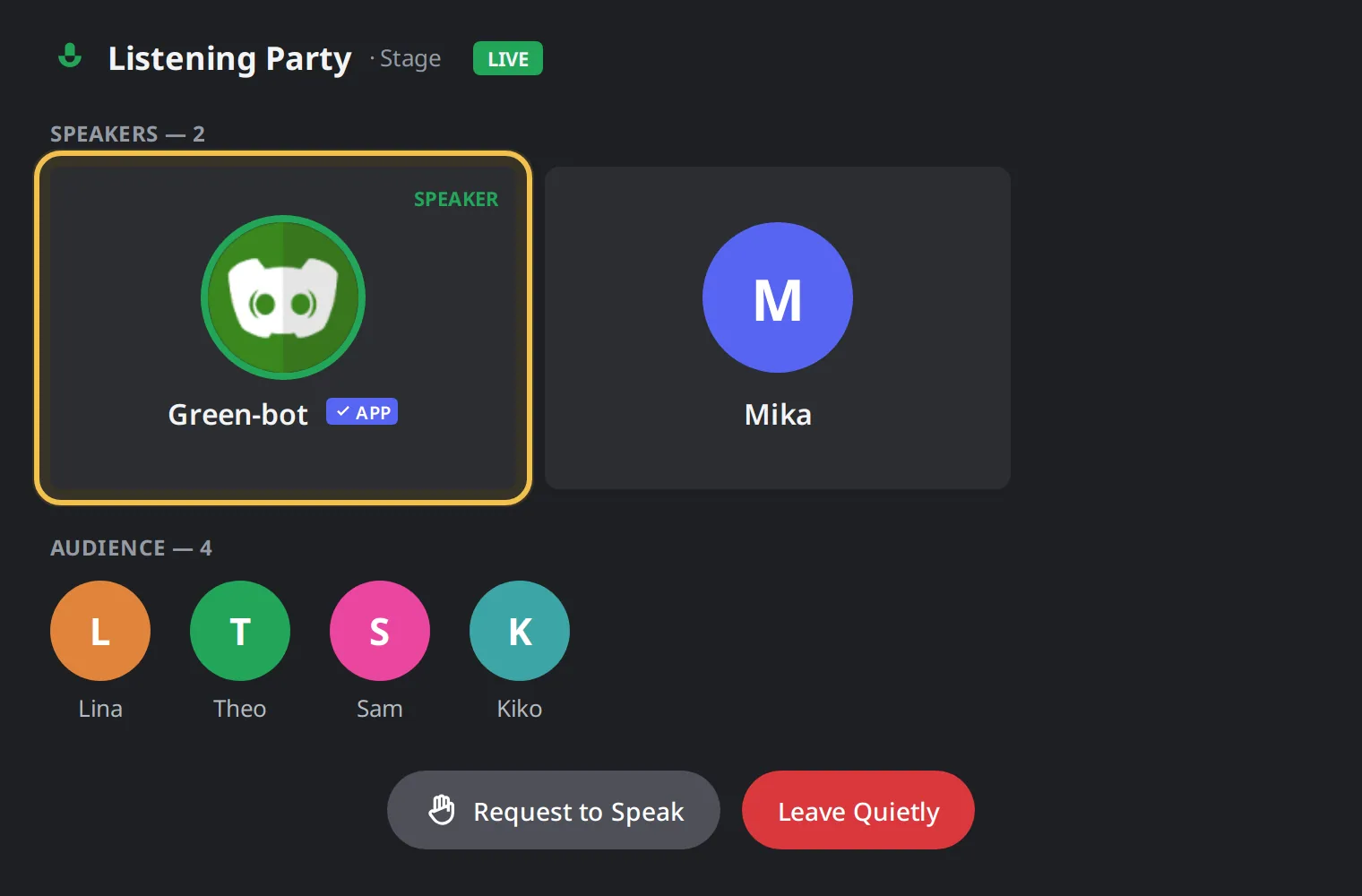 Stage channel
The voice connection failed
Sometimes the permissions are right and the channel has room, but the voice connection does not open. This is usually short.
- Wait a few seconds and add your song again.
- Leave the voice channel, join it again, then add your song.
- Try another voice channel.
See Why couldn't Green-bot join?.
Nothing happens at all
- Check that you are in a voice channel.
- Check the permissions above.
- Use
/playwith a song name and wait a few seconds. - If a message about no audio server appears, see The music cuts or stutters.
- If other servers have the same problem, check the status page.
Only some voice channels work
An admin can limit music to some voice channels. If your channel is not in the list, join an allowed channel or ask an admin to add yours. The setting is in the dashboard, in Music settings, under Playback, in Allowed voice channels. An empty list allows every voice channel. See Why can't Green-bot play in my channel?.
Still stuck? Ask on the support server.