Use the web player
Open the Green-bot web player to search, discover music, add songs and control the music of your server from your browser.
The web player lets you control the music of your server from your browser.
Open the player
- Log in to the Green-bot website with Discord.
- Open the player and pick your server.
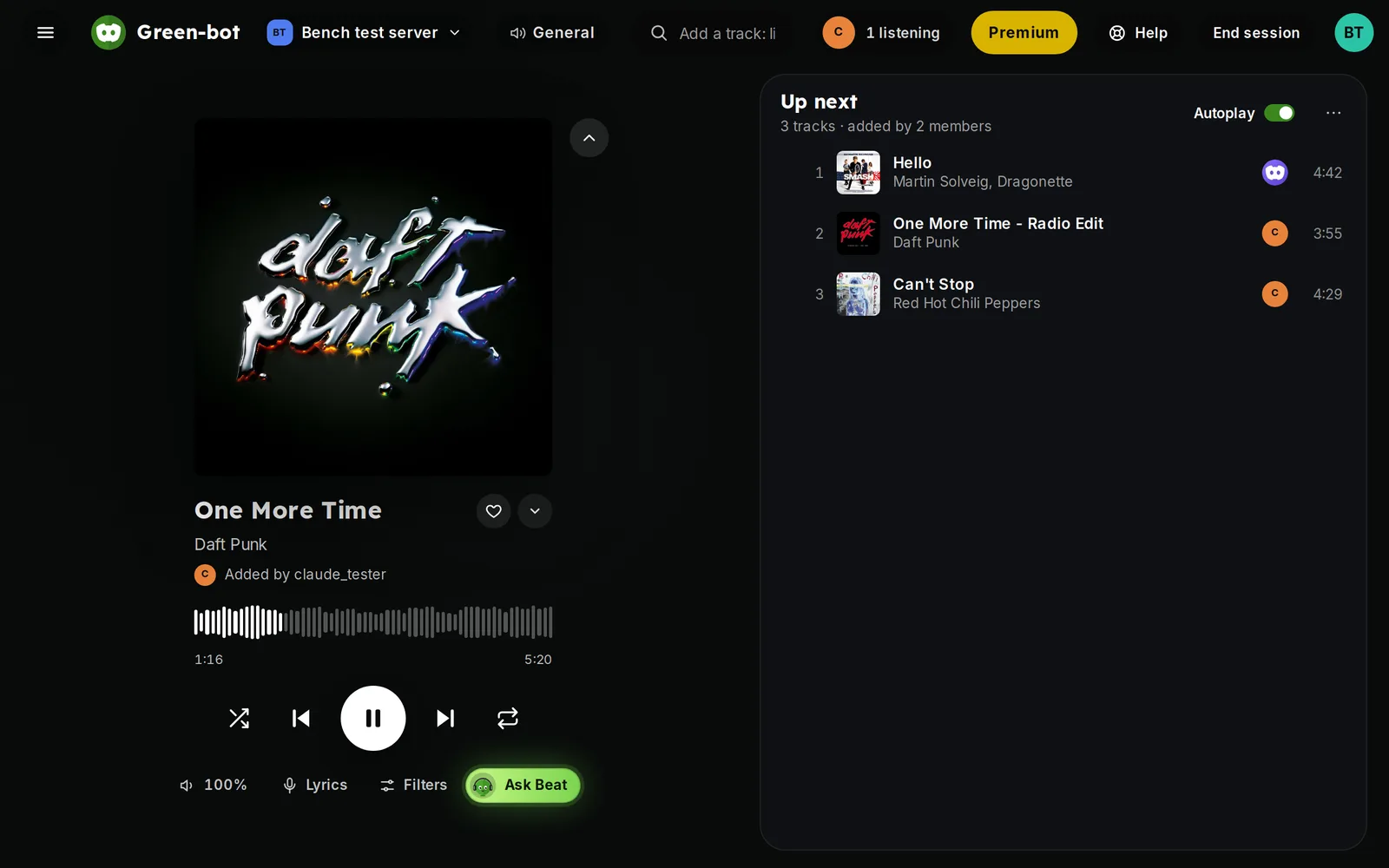 Web player
You can also open it from the Open player button on a Now playing card.
Join the voice channel
The player controls the bot of the voice channel you are in. If it shows Not in voice, join a voice channel of the server. If the bot already plays in another channel, join that one. See Green-bot won't join my voice channel.
Find music
- Open Discover to browse genres, playlists and albums.
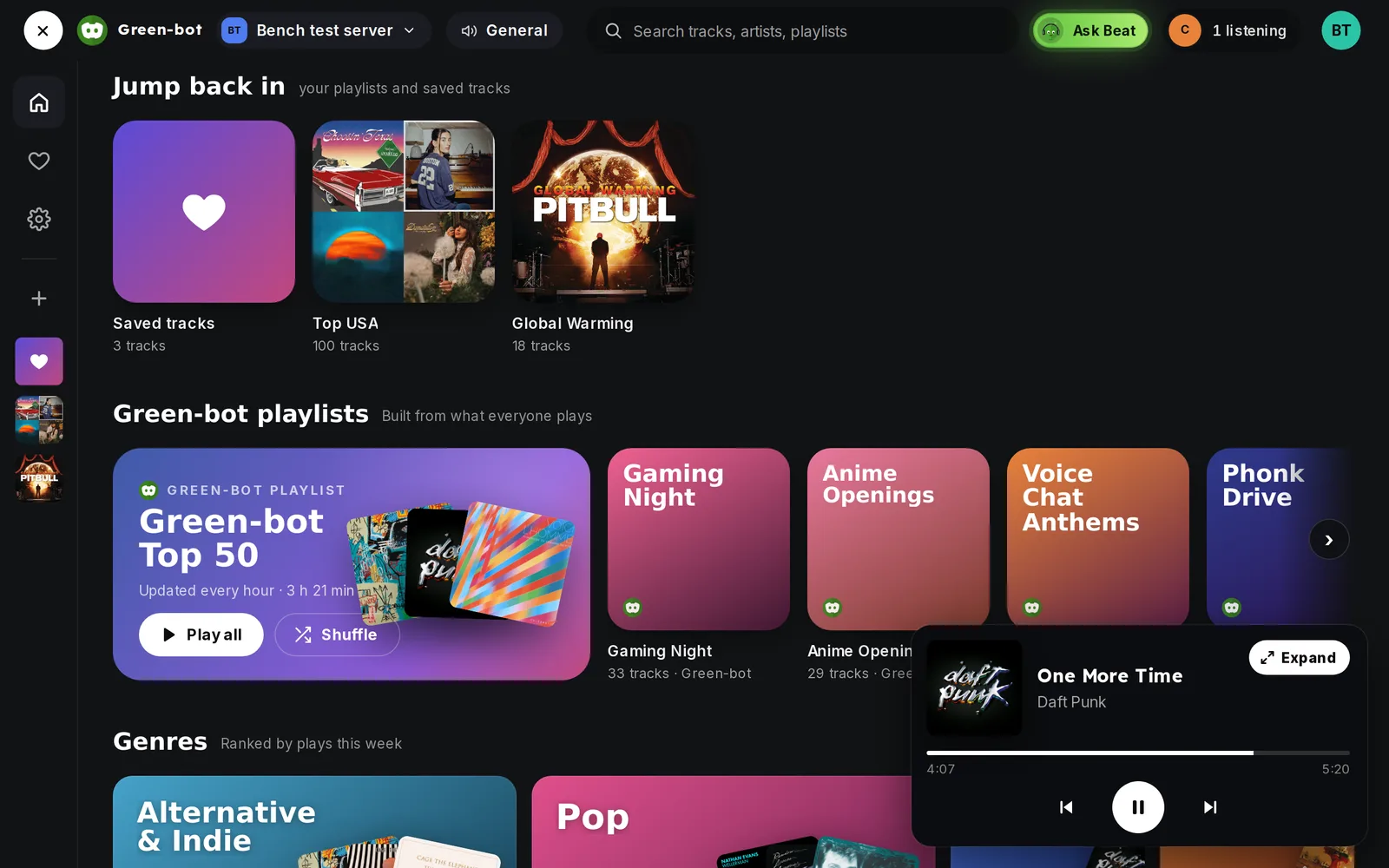 Discover page
- Or use the search to find artists, albums and songs.
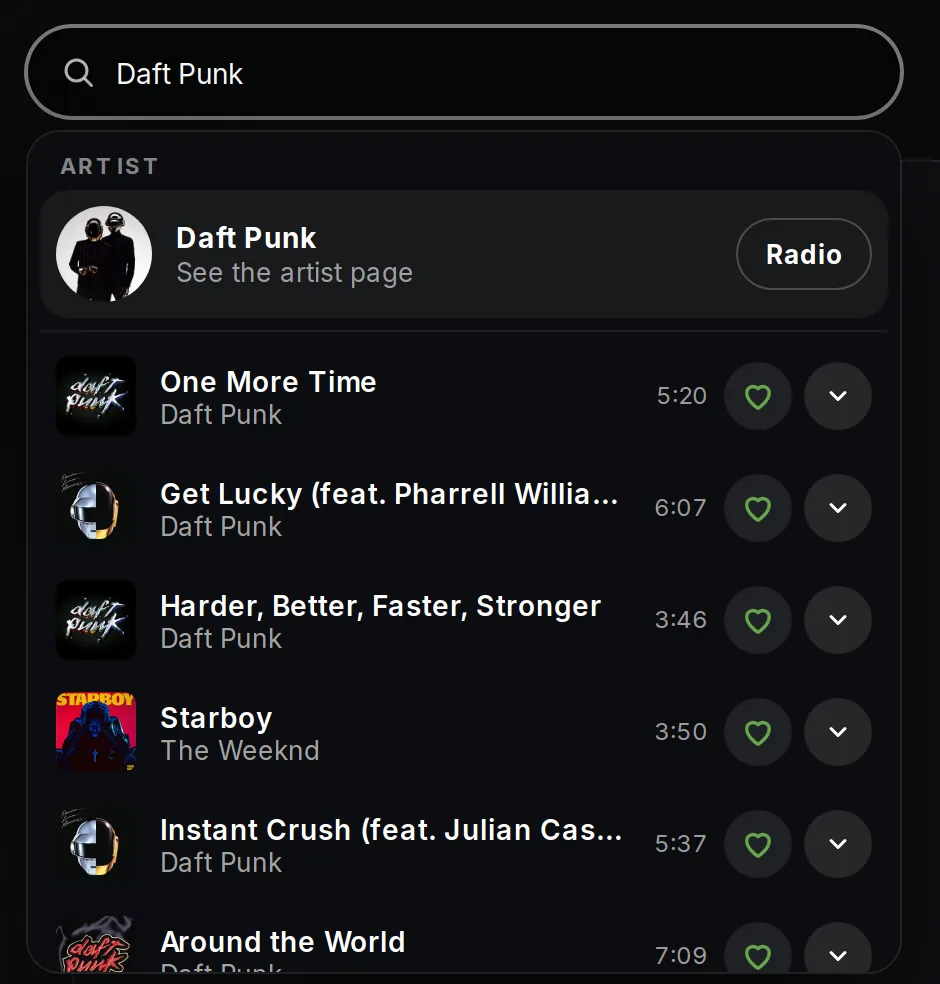 Search
- Add a song to the queue, or play a whole playlist.
Lyrics and the queue
The player shows synchronized lyrics next to the music, and the full queue. Click a lyric line to jump to it.
Your music
My music lists your saved songs and your playlists. See Create and play playlists.
Ask Beat
Beat is the AI DJ of the player. See Ask Beat, the AI DJ.
If the player looks frozen, see The player is frozen or out of date.
Still stuck? Ask on the support server.