Play with the Discord Activity
Start the Green-bot player inside Discord from a voice channel, and choose music together with your friends.
Updated Oct 30, 2026 · 1 min readCommands/play
The Activity is the Green-bot player inside Discord, in your voice channel.
Start the Activity
- Join a voice channel of your server.
- Click Activities (the rocket button).
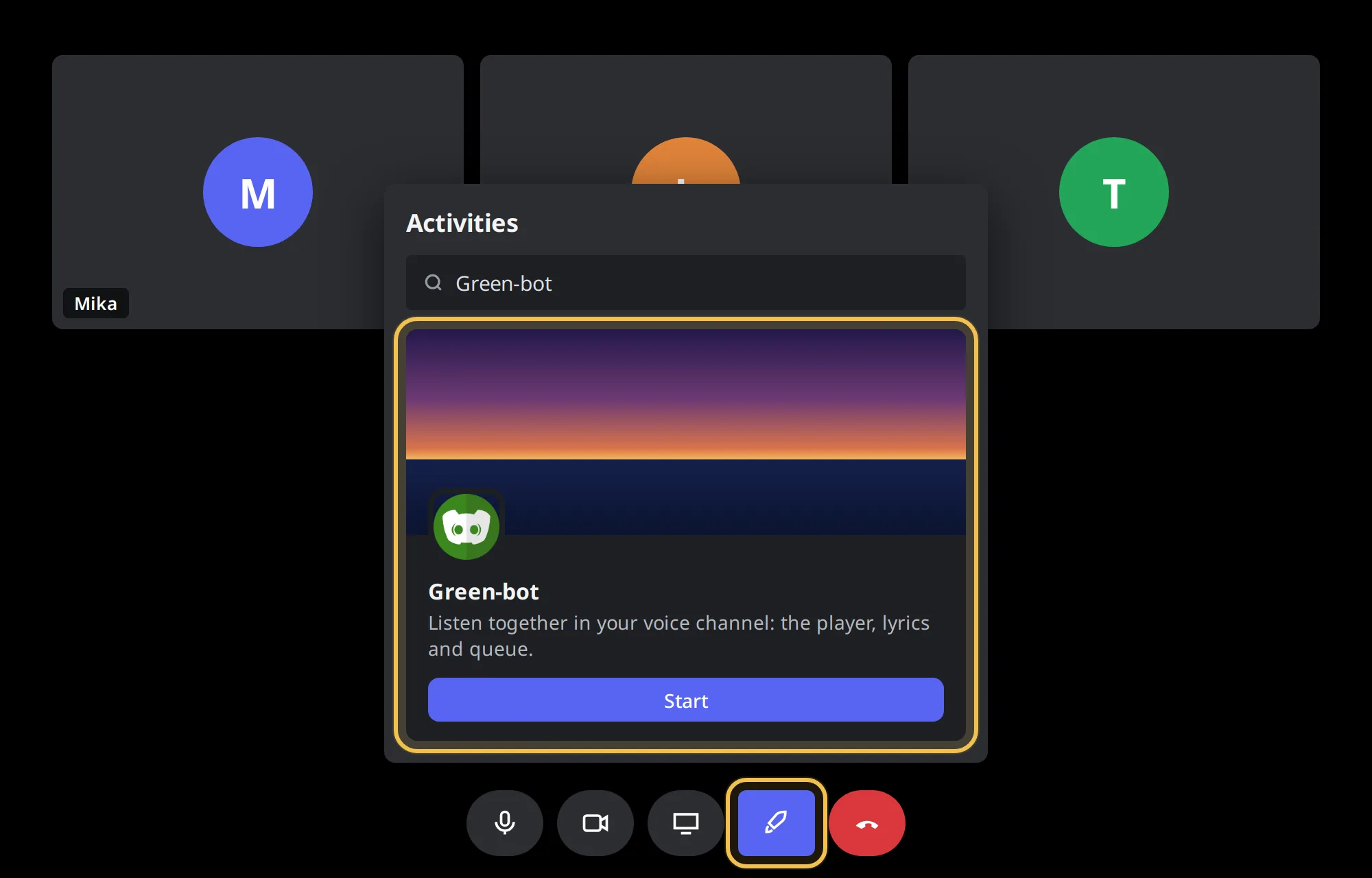 Activities button
- Pick Green-bot and accept the authorization window.
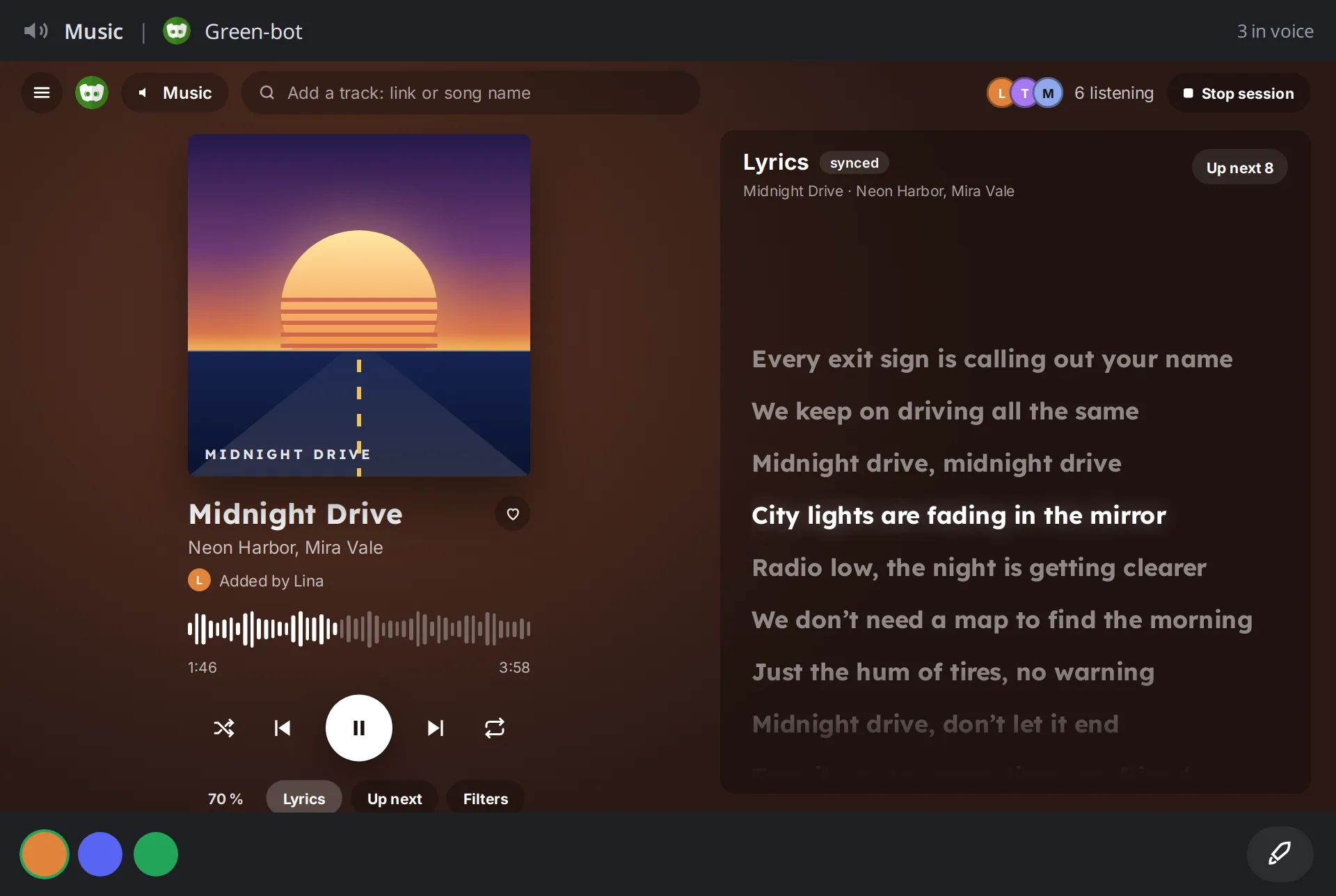 The Activity
If it does not open, see The Activity won't open.
Use it
When nothing plays, the Activity shows Beat, popular music and playlists. Pick music and it goes to the queue, which is shown on the right. The music plays in your voice channel, as with /play.
If it looks frozen
See The player is frozen or out of date.
Still stuck? Ask on the support server.
Next steps
Was this helpful?