Giveaways
Create a giveaway with a prize and an end date, let members join with a button, and draw the winners. Use the dashboard or /giveaway.
Updated Oct 30, 2026 · 1 min readCommands/dashboard/giveaway
A giveaway lets members join with a button. When it ends, Green-bot draws the winners.
Create a giveaway in the dashboard
- Use
/dashboardand pick your server. - Open Giveaways and click + New giveaway.
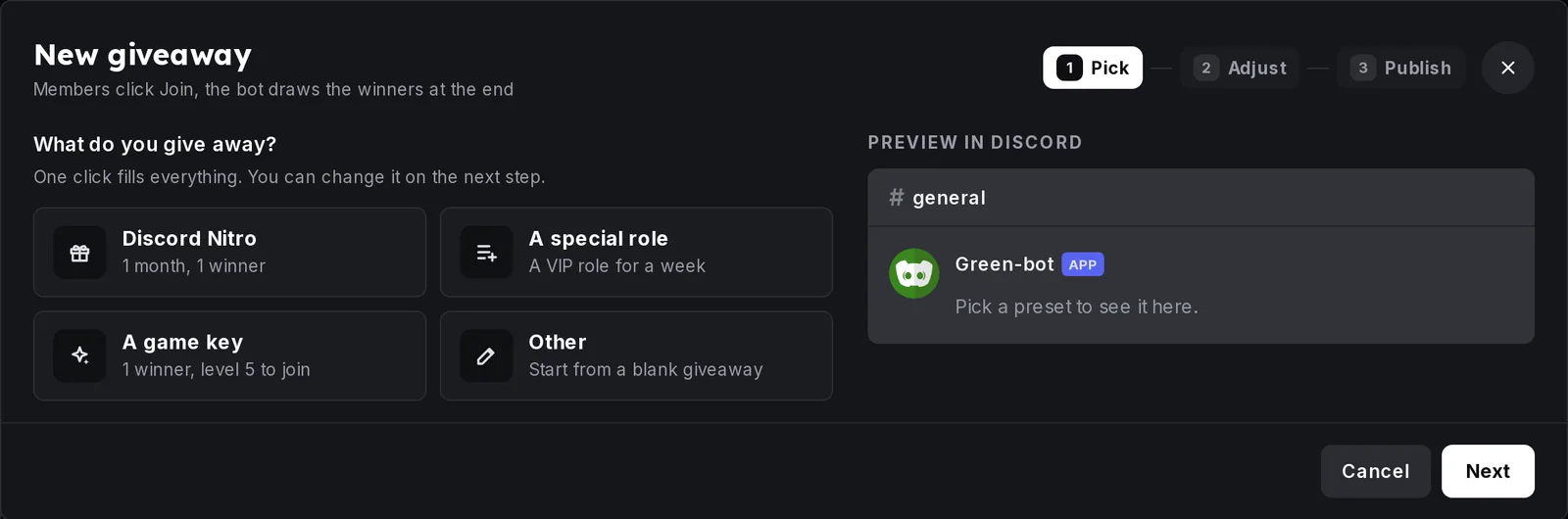 Giveaways page
- Enter the Prize: what the winners get, and the title of the giveaway.
- Set Ends in, the number of Winners and the Channel.
- Post it.
Members join with the button under the message. The page lists your giveaways under Running and Ended.
Create a giveaway in Discord
Use /giveaway with start, then enter the prize and the duration. You can also set the number of winners, the channel, a role that is required and a minimum level.
End, draw again or cancel
/giveawayend ends a giveaway now./giveawayreroll draws new winners of an ended giveaway./giveawaycancel cancels a running giveaway.
In the dashboard, click Manage on a giveaway to see the entries and the winners.
For conditions, bonus entries and settings, see Giveaways in depth.
Still stuck? Ask on the support server.
Next steps
Was this helpful?