Levels, XP and /rank
Members earn XP by chatting and by listening together in voice. See your level with /rank and turn levels on in the dashboard.
Members earn XP from messages and from time spent listening in voice. XP gives levels.
See your level
Use /rank to see your level, your XP and your rank on the server as a card.
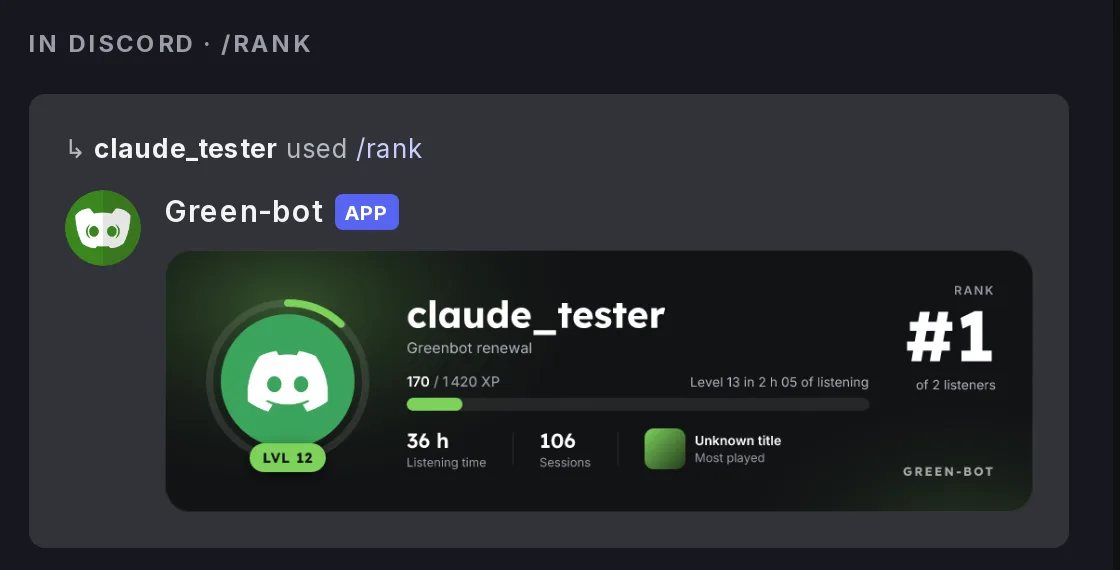 Rank card
Turn levels on
- Use
/dashboardand pick your server. - Open Leveling.
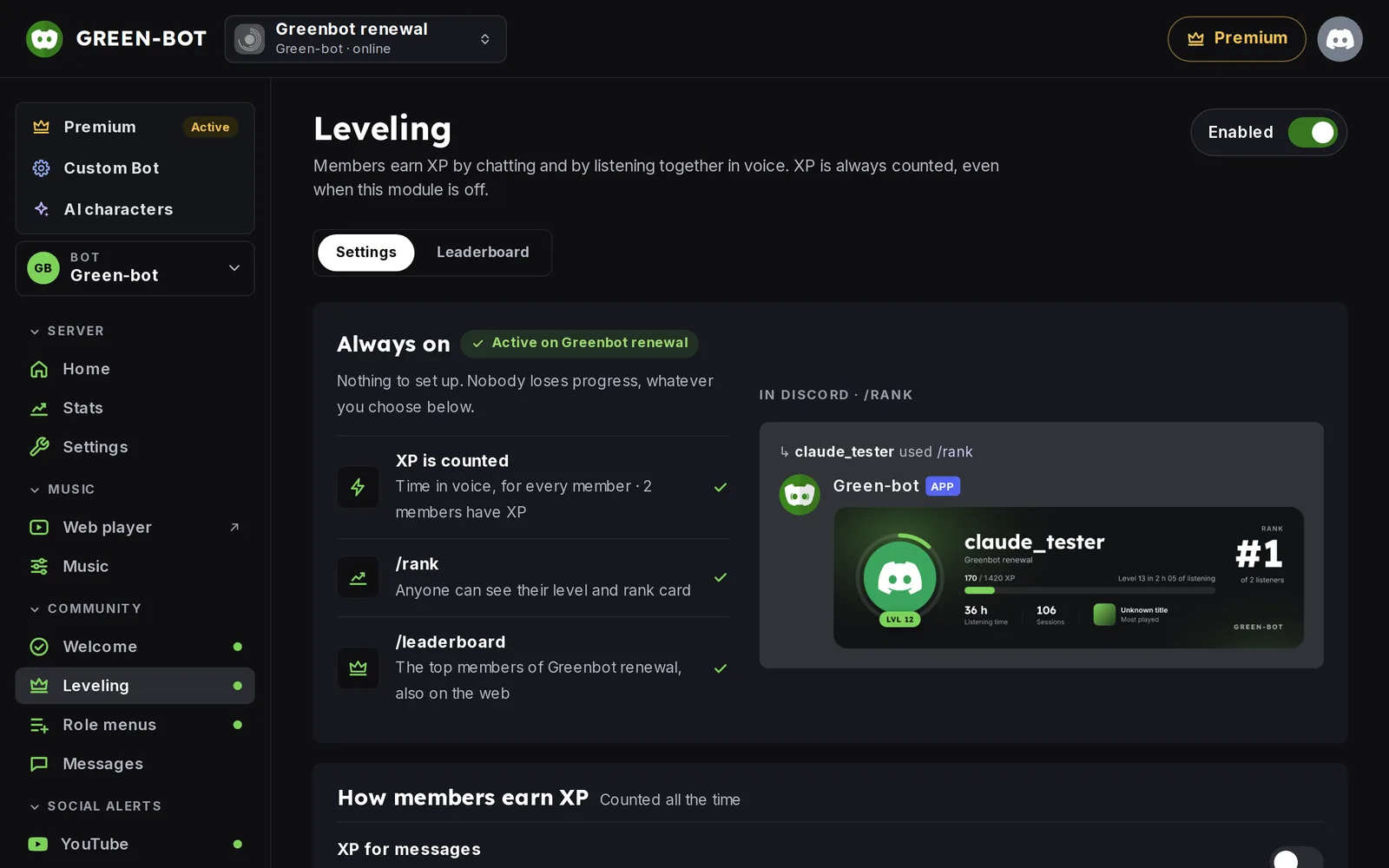 Leveling page
- Turn on the Enabled switch at the top right.
The page has two tabs: Settings and Leaderboard. XP is always counted, even when the module is off.
Choose how members earn XP
In Settings:
- XP for messages gives XP for chatting.
- XP in voice gives XP for listening together in voice.
Both can be on at the same time.
See the ranking
Use /leaderboard in Discord, or open the Leaderboard tab. See The public leaderboard.
Reward roles and level-up messages
You can give a role at a level, and send a message when a member levels up. See Levels in depth.
Privacy
Members can turn tracking off in Profile › My listening. See Listening stats and privacy.
Still stuck? Ask on the support server.
Next steps
Was this helpful?