The public leaderboard
See who listens and chats the most on a server with /leaderboard, and share the public leaderboard page of your server.
Updated Oct 30, 2026 · 1 min readCommands/leaderboard/privacy
The leaderboard ranks the members of a server by their XP.
See the leaderboard
Use /leaderboard in your server, or open Leveling, then Leaderboard in the dashboard.
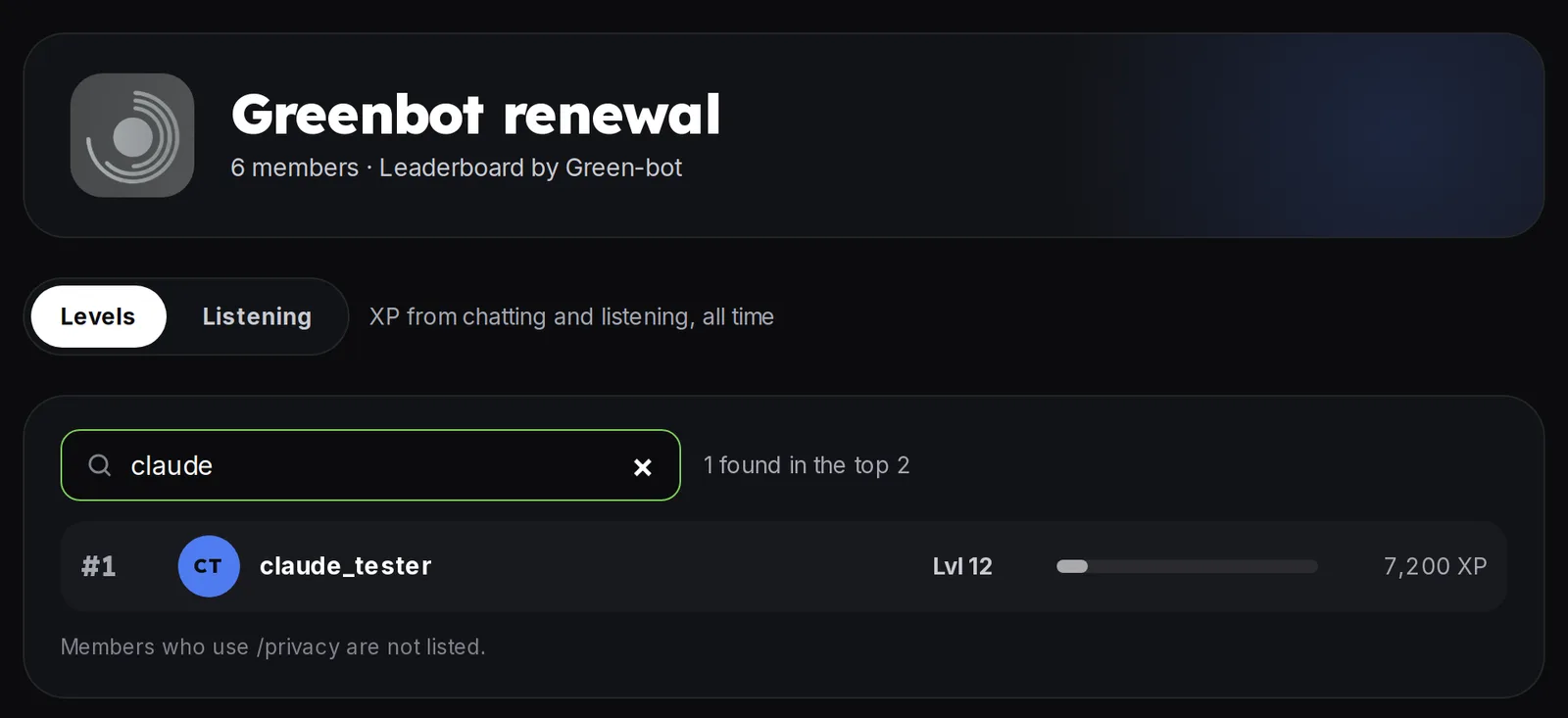 Leaderboard
The public page
The leaderboard of a server has a public page. It is on by default.
- Open Leveling, then Leaderboard.
- In the Public leaderboard card, click Copy to copy the link, or Open to see the page.
- Use the Public switch to turn the page on or off.
- Optionally add an invite link, used by the Join the server button of the page.
Changes can take a few minutes to show on the public page.
Members who do not want to appear can turn tracking off in Profile › My listening. See Listening stats and privacy.
Levels
The leaderboard uses the levels of the server. See Levels, XP and /rank.
Still stuck? Ask on the support server.
Next steps
Was this helpful?