Welcome and leave messages: cards, embeds and images
Add a welcome card with your own picture, build an embed, use all the variables, and keep the welcome and goodbye messages tidy.
This article goes further than Welcome and leave messages. It covers the card, the embed and the images.
The welcome card
The card is an image with the member's name, posted under the welcome message.
- Open Welcome messages, then When someone joins.
- Find Welcome card and turn it on.
- Set the Accent color. You can pick a color or a custom color.
- Set the Background: a color, or a picture.
- Change the title and the subtitle of the card. The subtitle can use the variables.
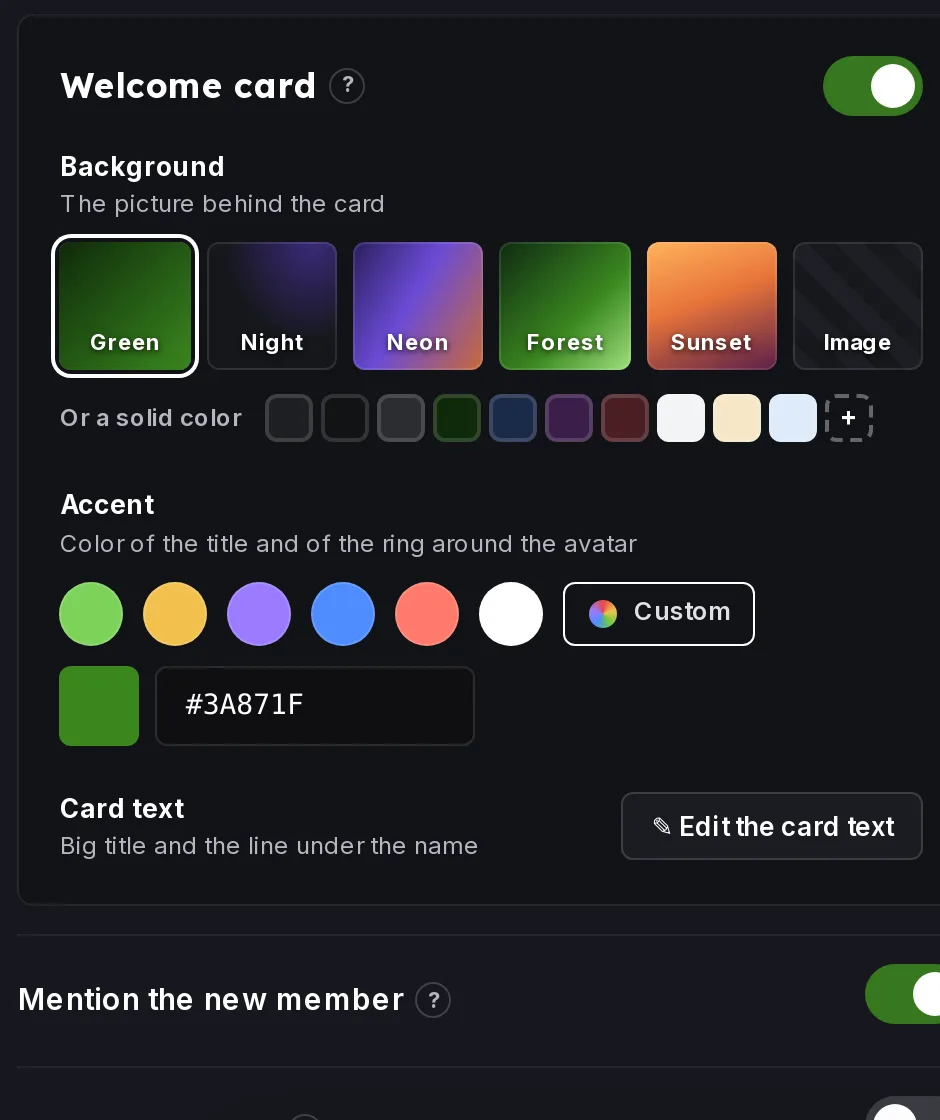 Welcome card settings
The Preview in Discord shows the card as members see it.
Use your own picture
For the card background and for embed images, you upload a picture from your computer. Image links are not used. Pick a picture with the Card picture control and save.
Build an embed
An embed is a colored box with a title, a description and an image.
- In the preview, click Add embed. Click Edit embed later to change it.
- Edit the embed directly on the preview.
- Use Send a test to see the real result in Discord.
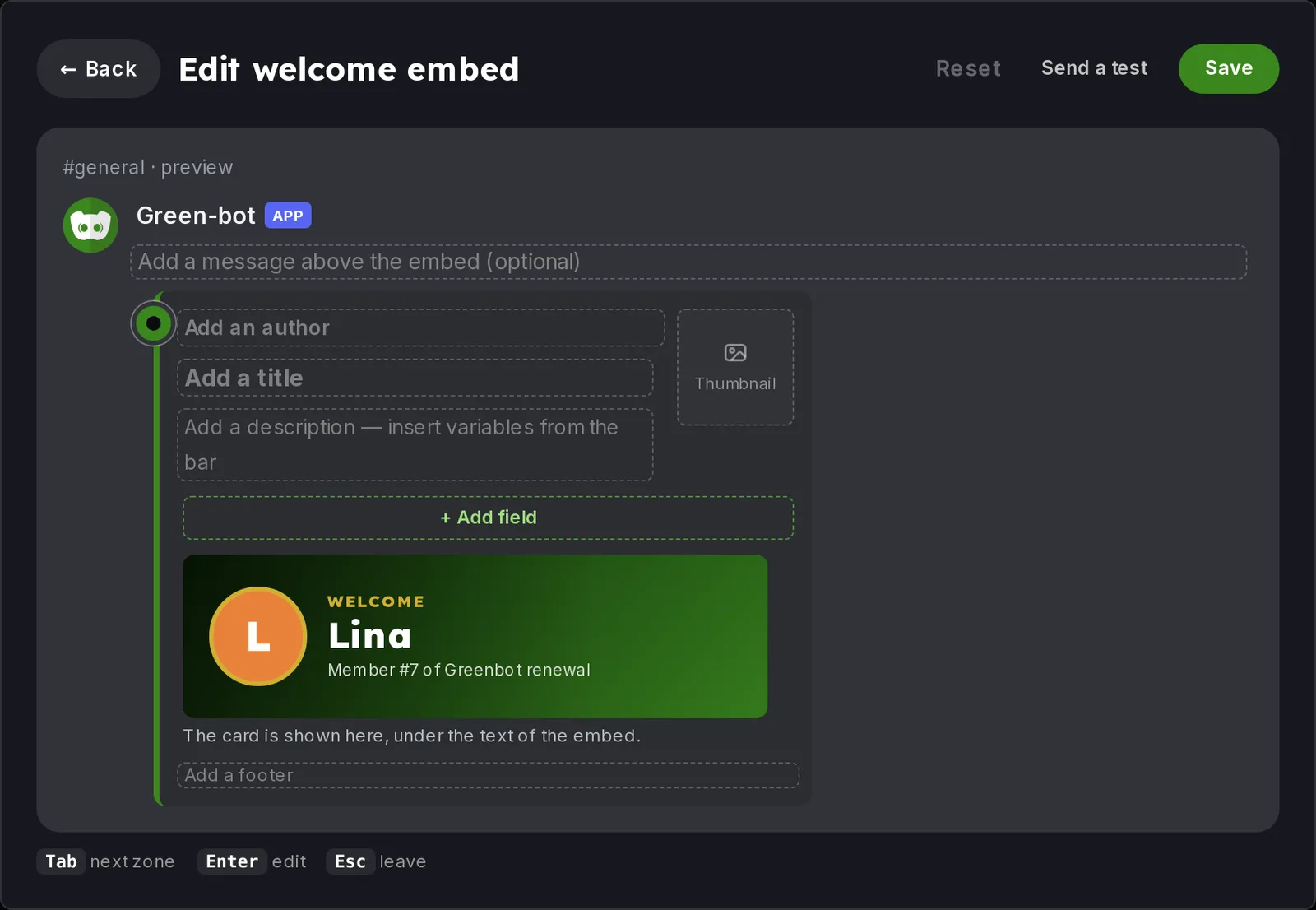 Embed editor
The text is posted first, then the embed. When the card is on, the card takes the image slot of the embed. To go back to plain text, click Remove embed.
All the variables
You can use these variables in the text, the card and the embed:
{user}: mentions the member.{server}: the name of the server.{memberCount}: the number of members.{user.name},{user.username}and{user.id}: more details about the member (embed editor).
Roles for members and bots
Under Roles on join, the Members list and the Bots list are separate. Turning welcome messages on also turns on the roles. Green-bot can only give roles that are below its own role. See Roles are not given.
The goodbye message
The goodbye message has its own channel, text, card and Send as an embed switch. The text can use the same variables.
Permissions to check
- Send Messages and Embed Links in the channel.
- Attach Files for the card. See Why can't Green-bot post the card?.
- The Server Members intent, so Green-bot sees who joins. See Server Members intent.
Still stuck? Ask on the support server.