Patreon supporters: migration
Patreon supporters keep their Premium. Read the migration message on the website to move your subscription to the new billing.
Updated Oct 30, 2026 · 1 min readCommands/premium
If you supported Green-bot on Patreon, you keep your Premium.
What to do
- Log in to the Green-bot website with the Discord account linked to your Patreon, and open your server in the dashboard. You need the Manage Server permission on it.
- Look for the banner Move to the new Green-bot subscription with the label 2 months free. It says that your Patreon perks move to Green-bot Pro Server. The same offer shows as a thin bar at the top of the web player.
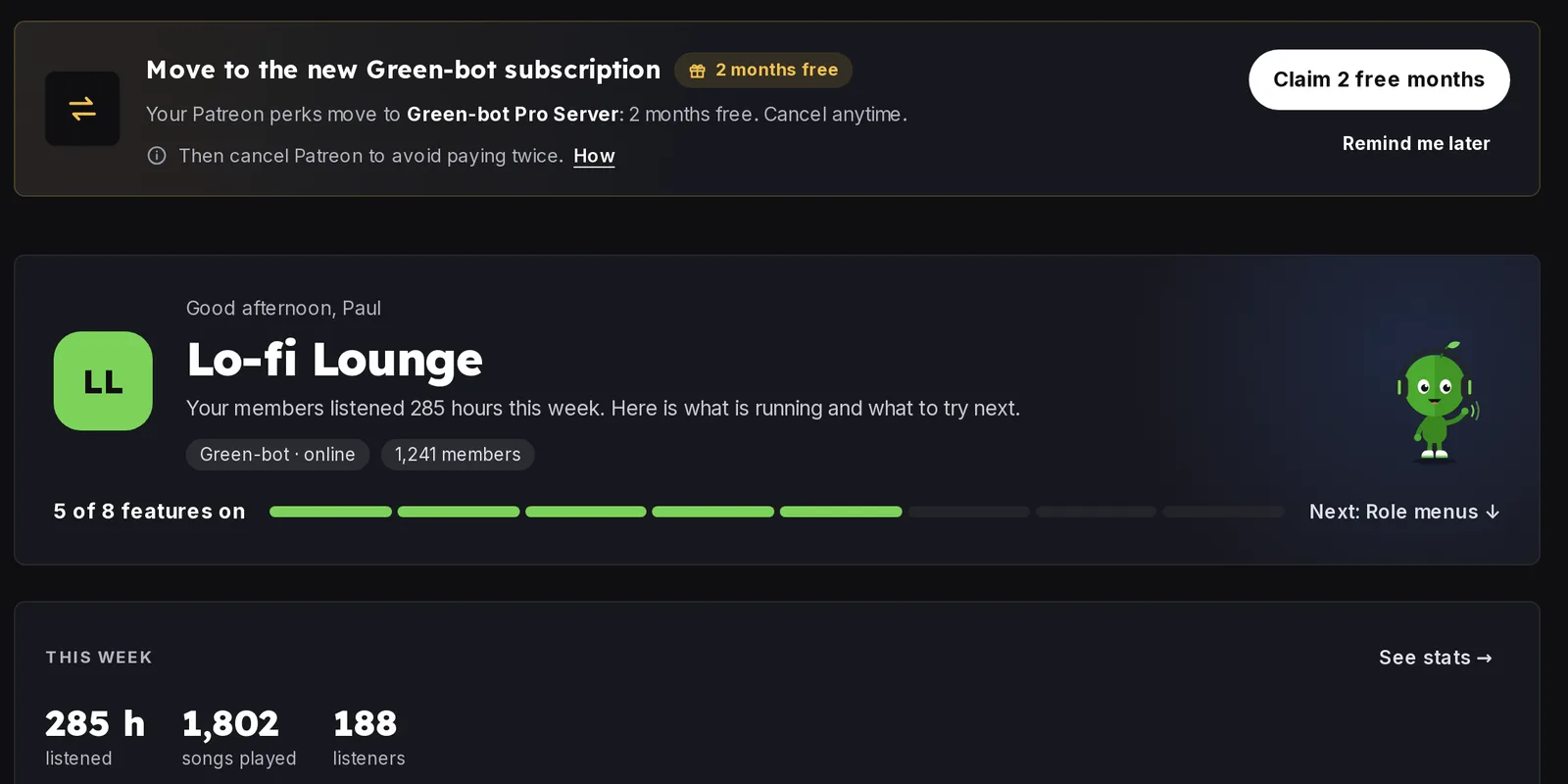 Migration message
- Click Claim 2 free months, then Continue to checkout. The window shows Due today and what comes after the free months. Use Remind me later if you want to do it another day: the banner comes back after 7 days.
- After the payment the page shows Confirming your subscription…. Keep Patreon until this step is done. If it says Still confirming your subscription…, press Check again.
- The page then says You're on Green-bot Pro Server. Last step: cancel Patreon. Cancel your membership on Patreon, in Memberships › Green-bot › Edit › Cancel membership, so you don't pay twice.
If the banner does not show, the account is not recognised as a Patreon supporter on this server. Check that you use the right Discord account, then ask on the support server.
Use /premium to check your status.
Still stuck? Ask on the support server.
Was this helpful?